 0800 328 1088
 Mon - Fri From 9am To 5pm





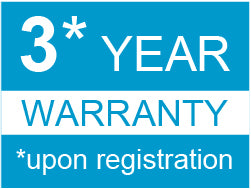
Register your ScanSnap to unlock extended warranty and enhanced support
Claim your 3 Year Warranty here: Register at ScanSnapit.com
FREE REMOTE INSTALLATION - EXCLUSIVE TO RTS IMAGING SUPERSTORE
When you purchase a Selected ScanSnap Scanner, we will remotely install the Software & Drivers for Free.
Basic Set Up included
Please Add Remote Installation To Your Cart and One of the Ricoh Models Below.
- IX1300, IX2400, IX2500, SV600
Use Discount Code SSINSTALL at Checkout
(Once your scanner has been delivered, Please call 0800 328 1088 to book in your installation)


ScanSnap iX2500: Connected, Convenient, Superior Personal Productivity
Quickly and easily connect your scanner to the most popular collaboration and storage tools, then just drag and drop to add content. Connect to laptop via USB or Wi-Fi, or to smart devices via Wi-Fi or Bluetooth. Add in a category-leading warm-up time, and it’s easy to see how the ScanSnap iX2500 makes scanning simple by allowing you to connect without complications.
The ScanSnap iX2500 is ideal for MTD - Making Tax Digital (please see attached infographic above)
ScanSnap IX2500 Key Features
- 45 Pages-per-minute, Double-Sided & 100-Sheet Feeder
- Simple Setup and Scanning
- Compact & Efficient Footprint
- ScanSnap Go
- Easy, Effortless User Experience
- ScanSnap Home Software
- Scans Mixed Batches of Documents In One Go
- Save To A Wide Variety of File Formats
- ScanSnap Home App with 'Camera' Functionality
- Includes Kofax Power PDF for Win and for Mac
- Scan wirelessly to PC, Mac, iOS or Android mobile devices

Simple Setup and Scanning
The iX2500 integrates seamlessly with today’s most popular collaboration and storage platforms, making it ideal for individuals looking to digitise and share information without the hassle. And whether scanning to cloud storage, email, or apps, the simple drag-and-drop functionality ensures your documents go exactly where they’re needed, fast.
No more fiddly setups or confusing software. With the iX2500, users can easily and simply connect to laptops and devices via USB, Wi-Fi, or Bluetooth – whatever works best for their setup. And a category-leading warm-up time means no delays to getting on with your tasks.
Compact & Efficient Footprin
Work from home? Back in the office? Hot-desking across both? The iX2500’s compact footprint and sleek profile make it the perfect fit for any desktop – no matter the location. It’s equally at home beside a laptop, on a reception counter, or tucked neatly into a home study.
Designed to accommodate different working styles, it offers both on-demand scanning via a Quick Menu and the ability to set up customised buttons for your most frequent tasks. It’s scanning made to match your habits – not the other way around. Intelligent data recognition creates active links to phone numbers or email addresses straight from your scans.

ScanSnap Go
The ScanSnap Go feature makes scanning more convenient for both business and home use.

- Scan swiftly with your settings in a free-address office
- Scan with the iX2500 located at your branch office you visit while on a business trip
- Scan documents instantly at trade shows
- Scan at home quickly with your own settings without switching users
ScanSnap Go feature*, which allows users to instantly enjoy their own personalised scanning experience with any iX2500 by simply holding a smartphone close to it - ideal for shared offices, hot- desking environments, and other flexible workspaces.
With a tap, your customised scan profile settings appear on the scanner’s touchscreen (including your usual destinations they are set up to scan to), allowing any iX2500 to function as your own personal scanner, transcending time, location, and device.
This allows you to quickly and easily use iX2500 units across different locations, such as a free-address office on another floor or a shared office. In addition, ScanSnap Go makes it easier to share the scanner among family members.
*Requires latest firmware update
Easy, Effortless User Experience
The iX2500 turns digitisation into a one-button job. Featuring a 5-inch LCD capacitive touch screen, you can fly through your digitisation tasks at a fast 45 pages-per-minute, even for double-sided documents. The 100-sheet feeder and receipt guide also allow for mixed batches. The iX2500 offers a smooth, frictionless experience from setup to scan, staying true to the ScanSnap mantra – you don’t need to know IT – just how to press a button.
Quickly Connect to Tools and Apps
Instant, easy connection to the most popular collaboration and storage tools including Box, Dropbox, Evernote, Google Drive, OneDrive, SharePoint Online*, OneNote*, icloud*, Microsoft Teams*, Notion*, GooglePhotos, Concur, Shoeboxed, Quickbooks Online, Hubdoc, with simple drag and drop of scanned data into your storage tool of choice.
Category-leading warm-up time with near-instant connection to USB and Wi-Fi
Simple Wi-Fi connection: directly from unit, or via laptop or smart device with minimal number of steps to set up
Easy connection via USB, or via Bluetooth for smart device


Best Experience with ScanSnap Home
ScanSnap Home combines all your favourite functions into one and is the ultimate platform to utilise scanned data in various ways. Easily manage, edit and utilise data from documents, business cards, receipts and photos with the software. You can scan large volumes of various types of documents from colour photos to double-sided landscape documents with a host of intelligent automatic image processing functions.

Scans Mixed Batches of Documents In One Go
Scans mixed batches of receipts, documents and photos in one go, simply load your documents in the generous 100 sheet automatic document feeder including a special receipt / card guide for easy and reliable document feeding.
Save To A Wide Variety of File Formats
Instantly convert your documents into the digital files you need: Save as editable Word, Excel or PowerPoint documents, PDF or searchable PDF, or standard image files. Save your files straight to where you want them: Save to PC, network locations, email or the most popular cloud-based storage and collaboration options. Extract receipt or business card data: Using the included ScanSnap Home software, extract key data and save as .CSV files.
ScanSnap Home App with 'Camera' Functionality
Users can digitise documents, receipts, business cards, and photos directly from their smartphones. Leveraging the same image-processing technology as ScanSnap scanners, it automatically captures, corrects, and converts files into searchable PDFs. These can be stored locally or in the cloud, expanding the ScanSnap ecosystem for both existing users and newcomers - even without owning ScanSnap hardware. Users can download the ScanSnap Home App from Google Play or Apple store
Includes Kofax Power PDF for Win and for Mac
The bundled Kofax software allows users to read directly from cloud based applications and to save directly to those cloud based applications meaning that the possibility of using and sharing digital documents is extended. In case documents are intended to be managed locally, ScanSnap Organiser will provide an ideal repository. This application plays an increasingly important role in the ScanSnap eco system, especially when additionally utilising the recently introduced ScanSnap Sync functionality, which allows for cross linkage from the ScanSnap Connect App to for example Dropbox, to Kofax Power PDF or to ScanSnap OrganiserWhat's in the Box
- ScanSnap iX2500 Scanner
- Receipt Guide
- AC Adapter
- 1 × EU Power Cord / 1 × GB Power Cord
- 1 × 2m USB3 Cable
- Getting Started Guide
- Safety Precautions Sheet
- ScanSnap Home
- ScanSnap Home Mobile
- ABBYY® FineReader for ScanSnap™
- Kofax® Power PDF™ Standard
- Kofax® Power PDF™ Standard for Mac
- Kofax® Power PDF™ Standard - License Sheet
- All software available via download

Over the past 25 years, ScanSnap has continuously evolved, but its core value has remained unchanged: helping users save time by making it effortless to digitise documents, receipts and photos. With a single press of the iconic blue button, paper information is instantly converted into organised digital files that are easy to find, manage and share — while also safeguarding valuable memories and records against loss or damage.
iX2500 Drivers
ScanSnap iX2500 DriversiX2500 Manuals
ScanSnap iX2500 User GuideScanSnap iX2500 Warranty Options, Accessories & Consumables
Learn More About Our Support Products ⓘ
Scanner Hire
Scanner Hire Information ⓘ
Business & Public Sector
sales@responsets.co.uk